Personal and shared finances

Money in order.
Plans in focus.

Accounts, spending and plans, together in one app. Stay on top of your finances and manage selected accounts with people you trust.

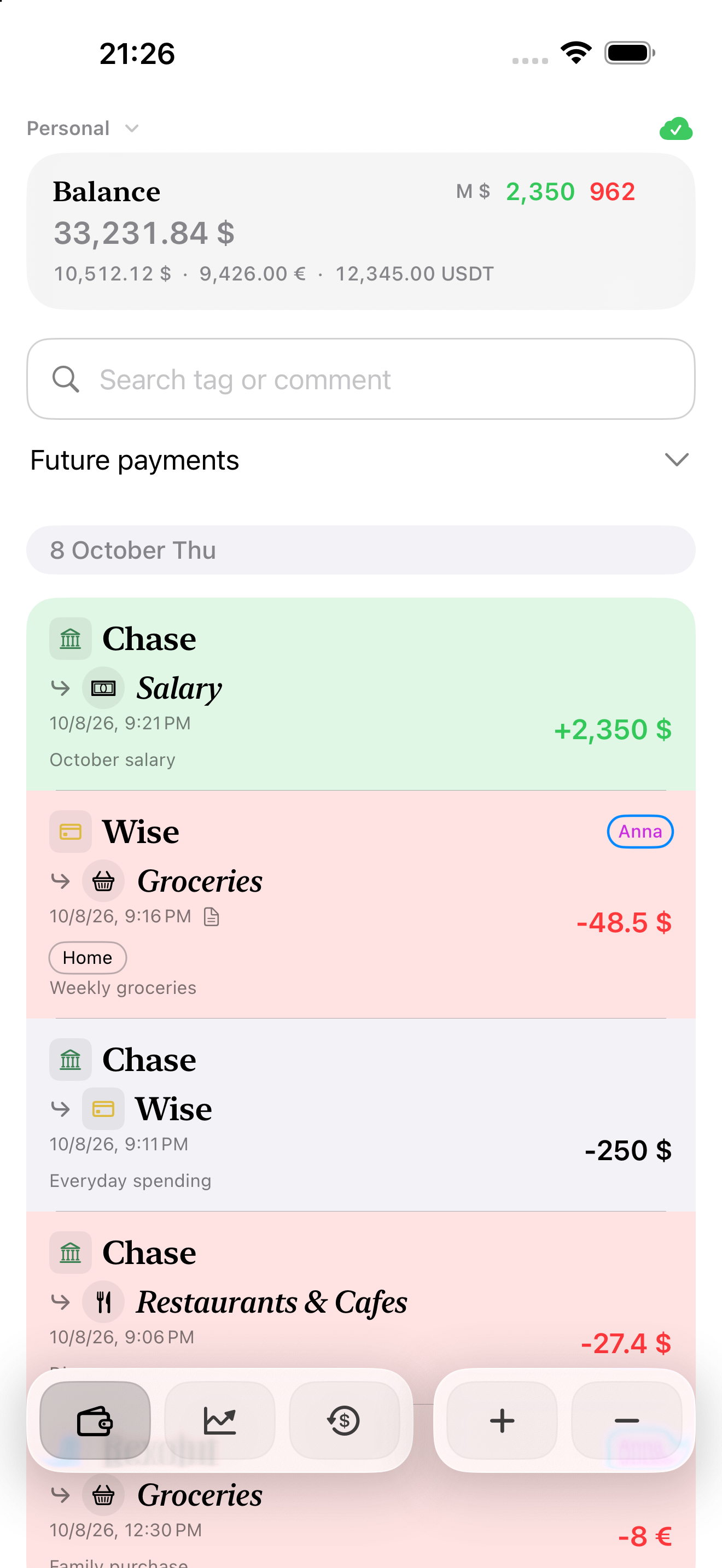
Total balance and income and expense history in Family Money
Family Money

The whole picture. Every detail.

Bring your accounts together, understand your spending by category and stay on top of upcoming payments.

Accounts and currencies

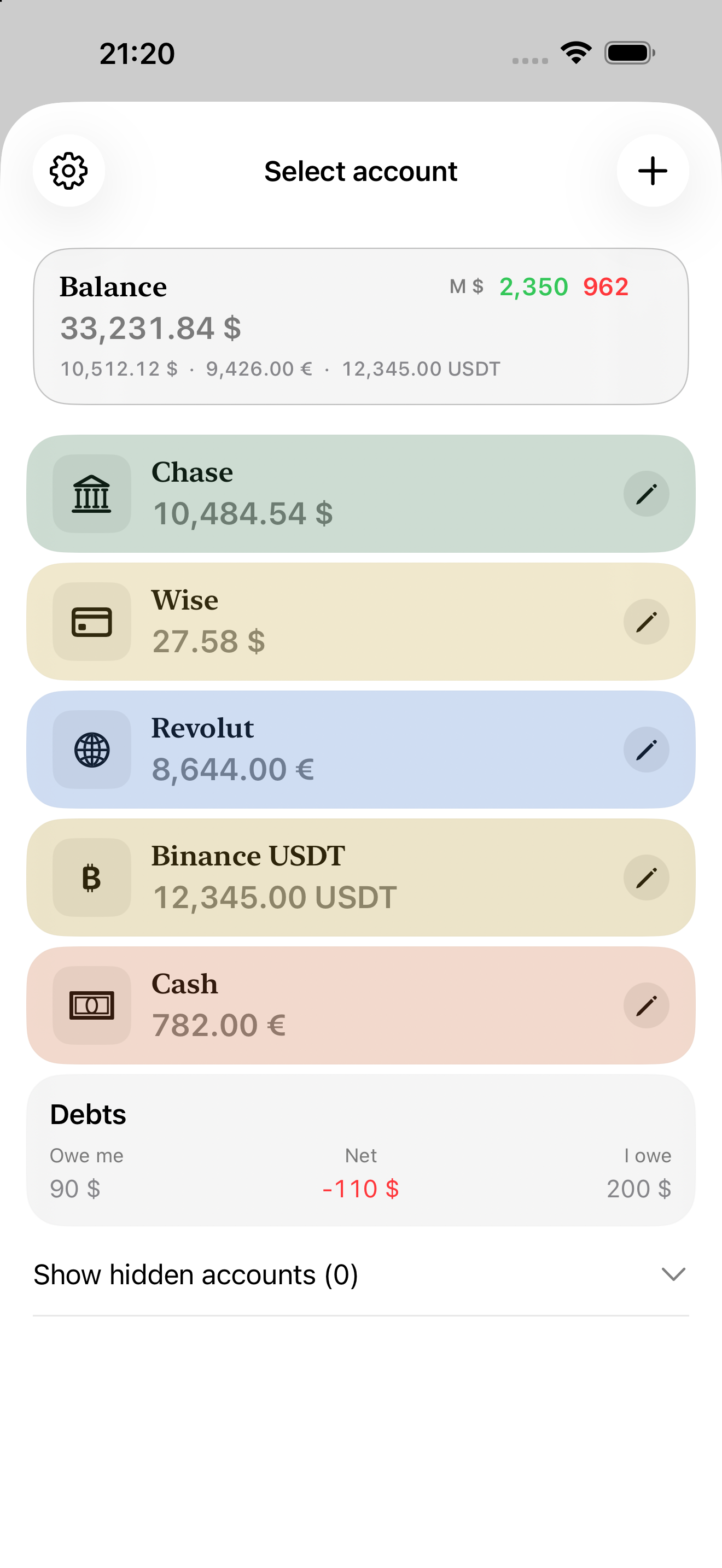
Every account, one place

Cards, cash, savings and crypto. Individual balances and a combined total show how much you have.

  • Balances by account and currency
  • Transfers between your accounts
  • Your own names, colours and icons
Accounts with balances in US dollars, euros and crypto
Accounts screen · Enlarge
Currency converter

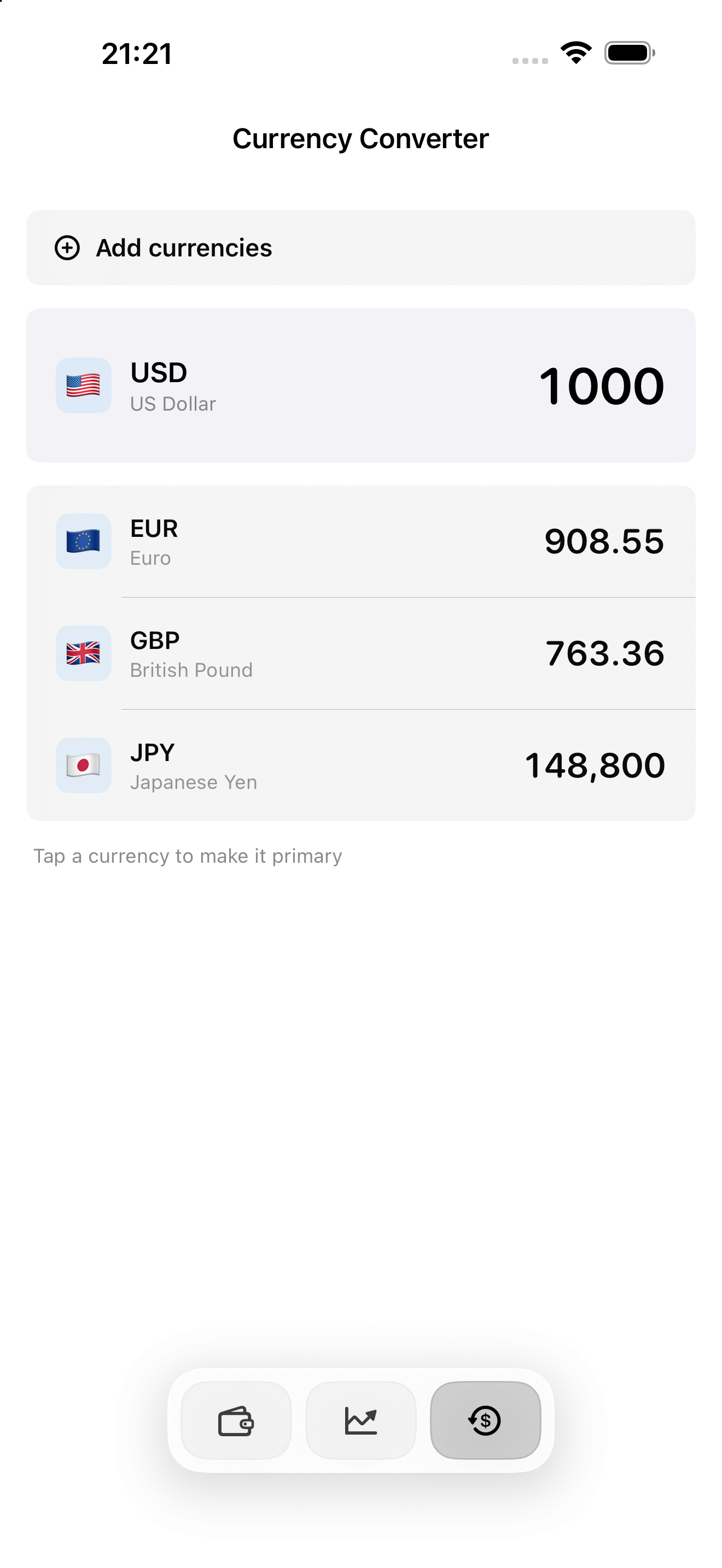
One amount. Several currencies.

See an amount in your chosen currencies and change the base currency with a tap.

  • Traditional currencies and crypto
  • Several currencies at once
  • Your chosen currencies, kept at hand
Currency converter showing amounts in selected fiat currencies and crypto
Currency converter screen · Enlarge
Reports

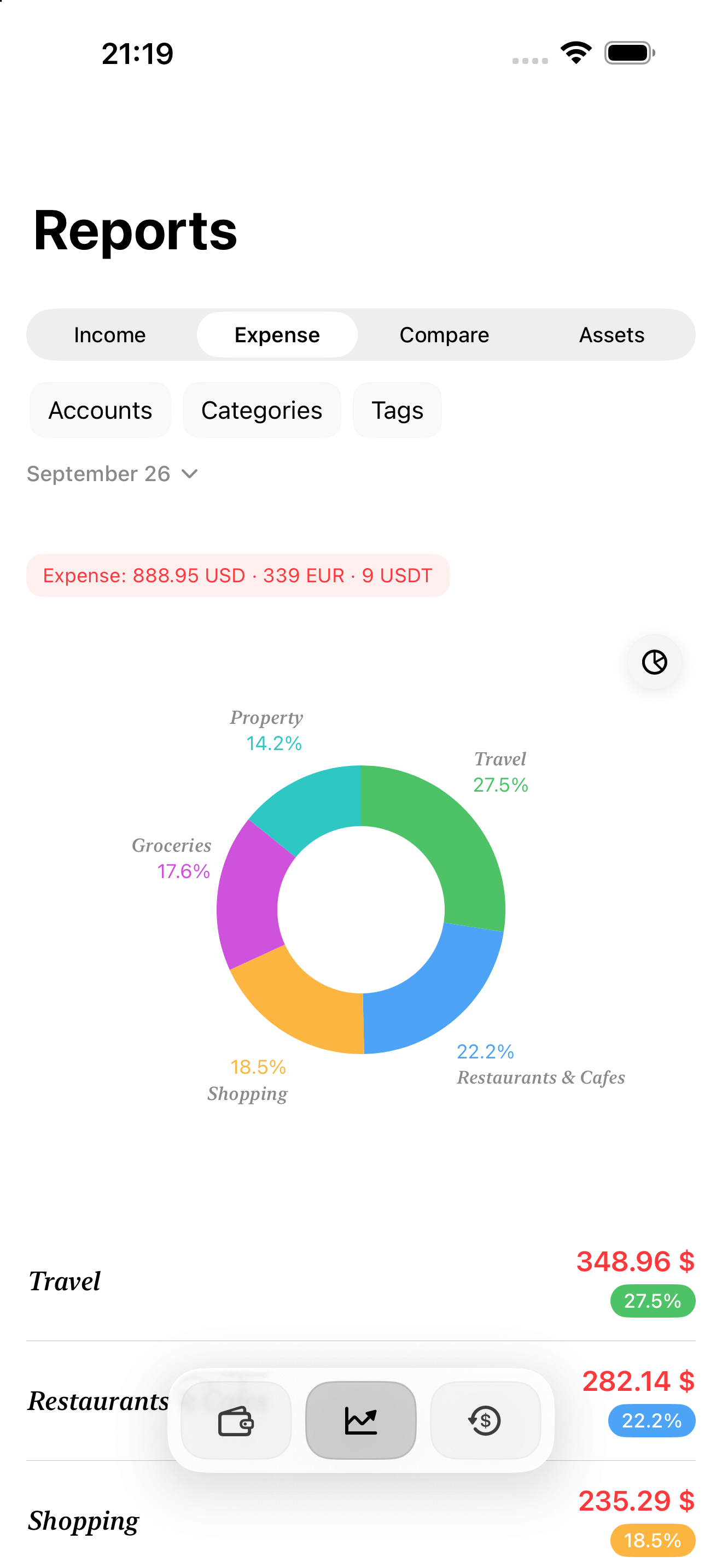
Make sense of your spending

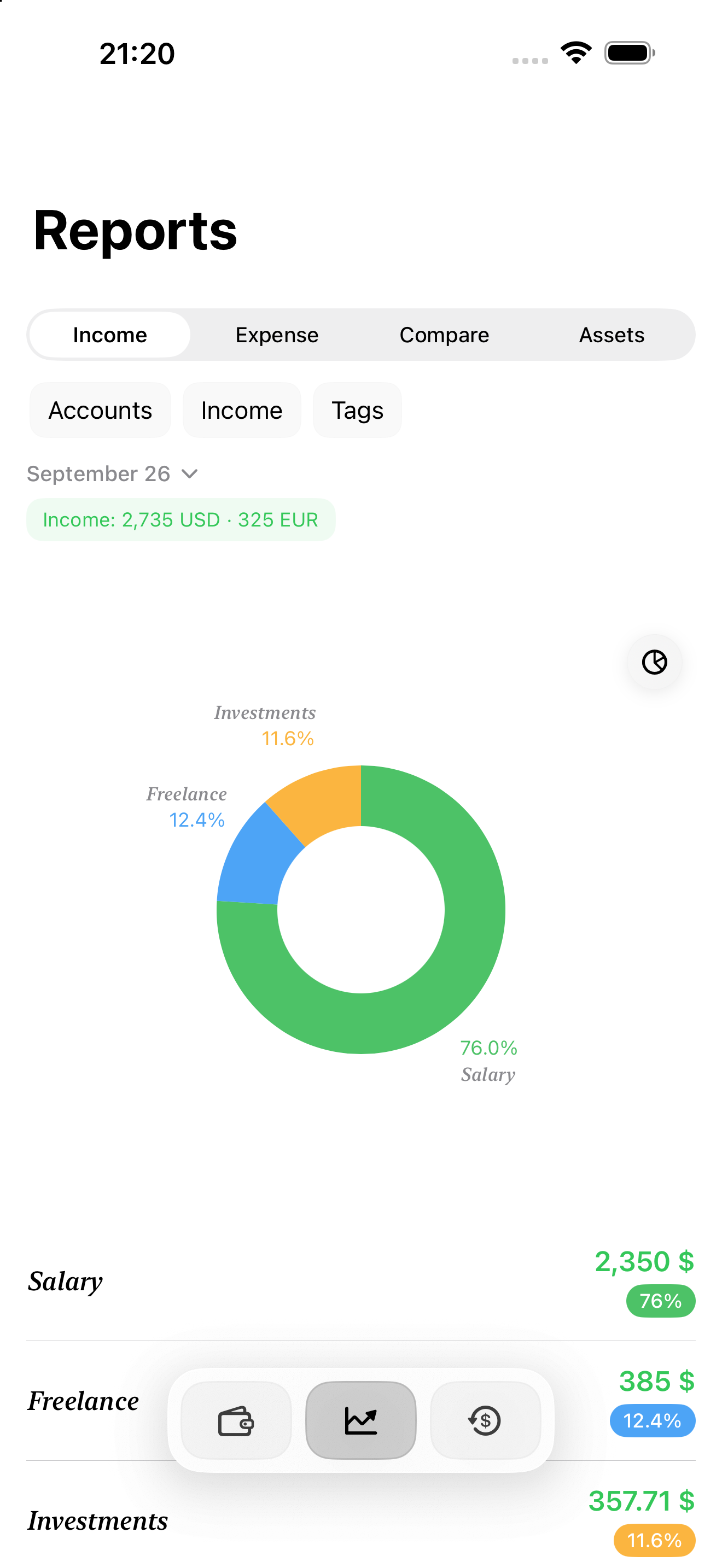
Which categories take the biggest share? How has your spending changed? Charts and period comparisons help you make more informed decisions.

  • Income and expenses by category
  • Compare periods
  • Filter by account and tag
Expense category chart with amounts and percentage shares
Expenses screen · Enlarge
Assets

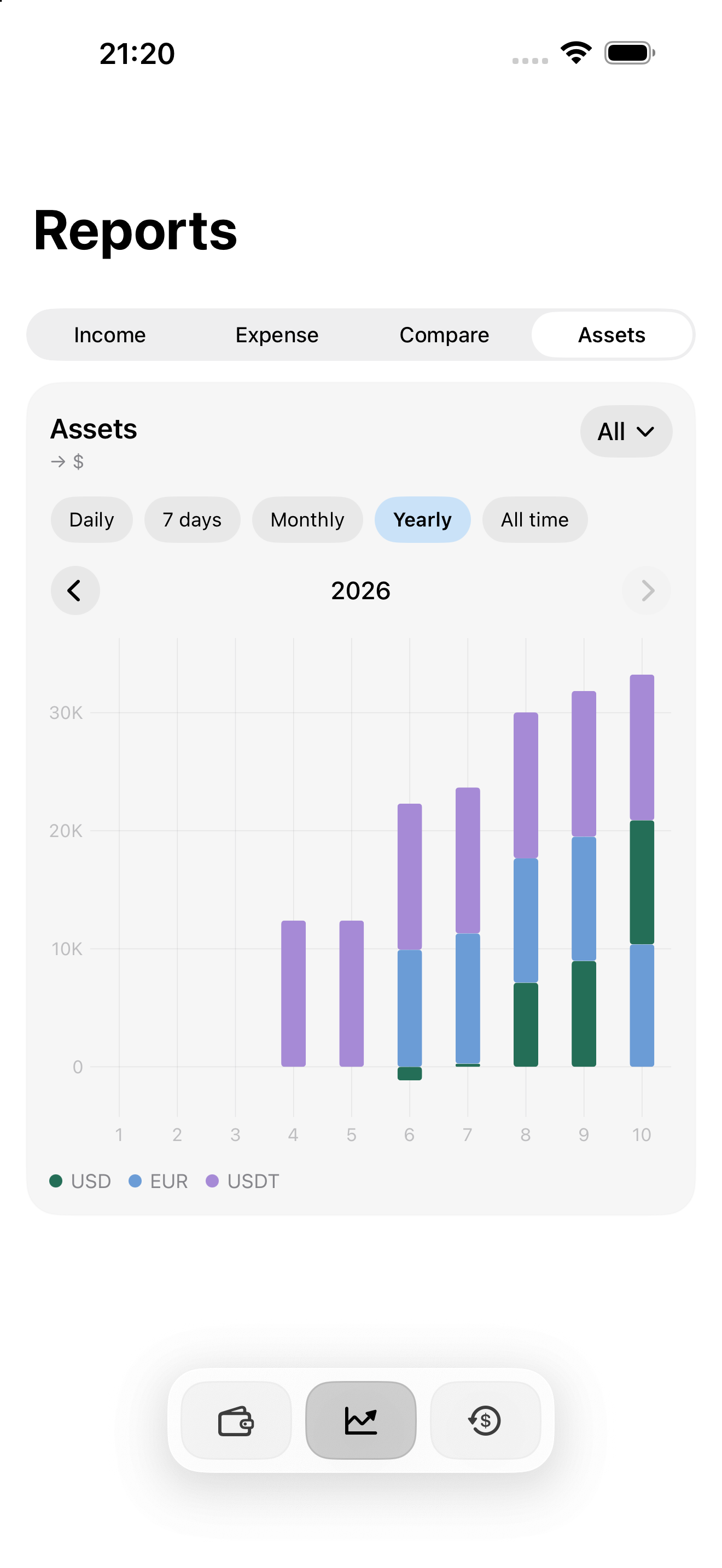
Your progress, over time

Follow your total funds and how they change. Zoom in on a month or look back over a year to see the bigger picture.

  • Trends for your chosen period
  • All accounts or selected accounts
  • Your preferred reporting currency
Yearly assets chart with a currency breakdown
Assets screen · Enlarge
Extended access

Plan ahead

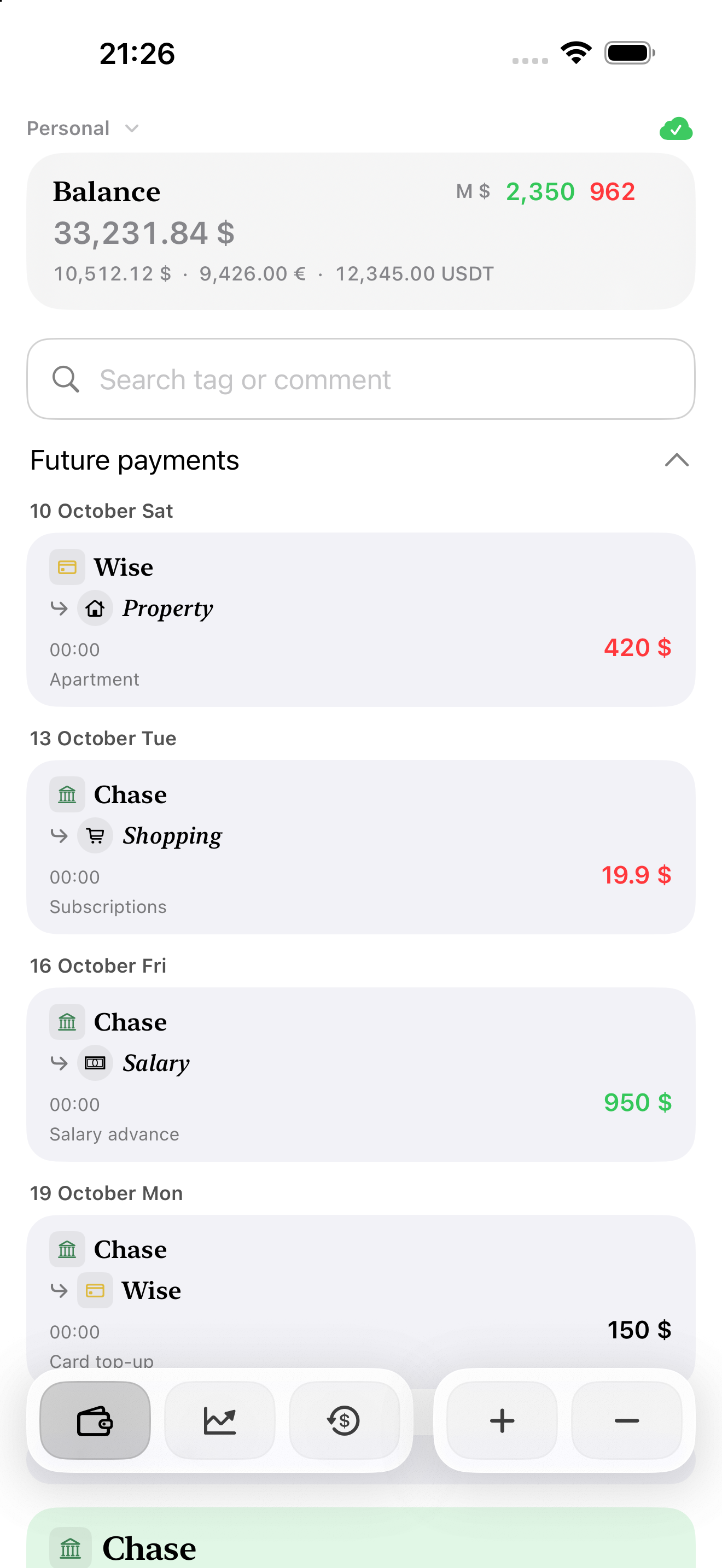
One-off and recurring payments in one list. Know what needs to be paid and which income is expected.

  • Plan income and expenses
  • Recurring transactions
  • Complete on time or early
Upcoming payments with dates, accounts and amounts
Upcoming payments screen · Enlarge
Extended access

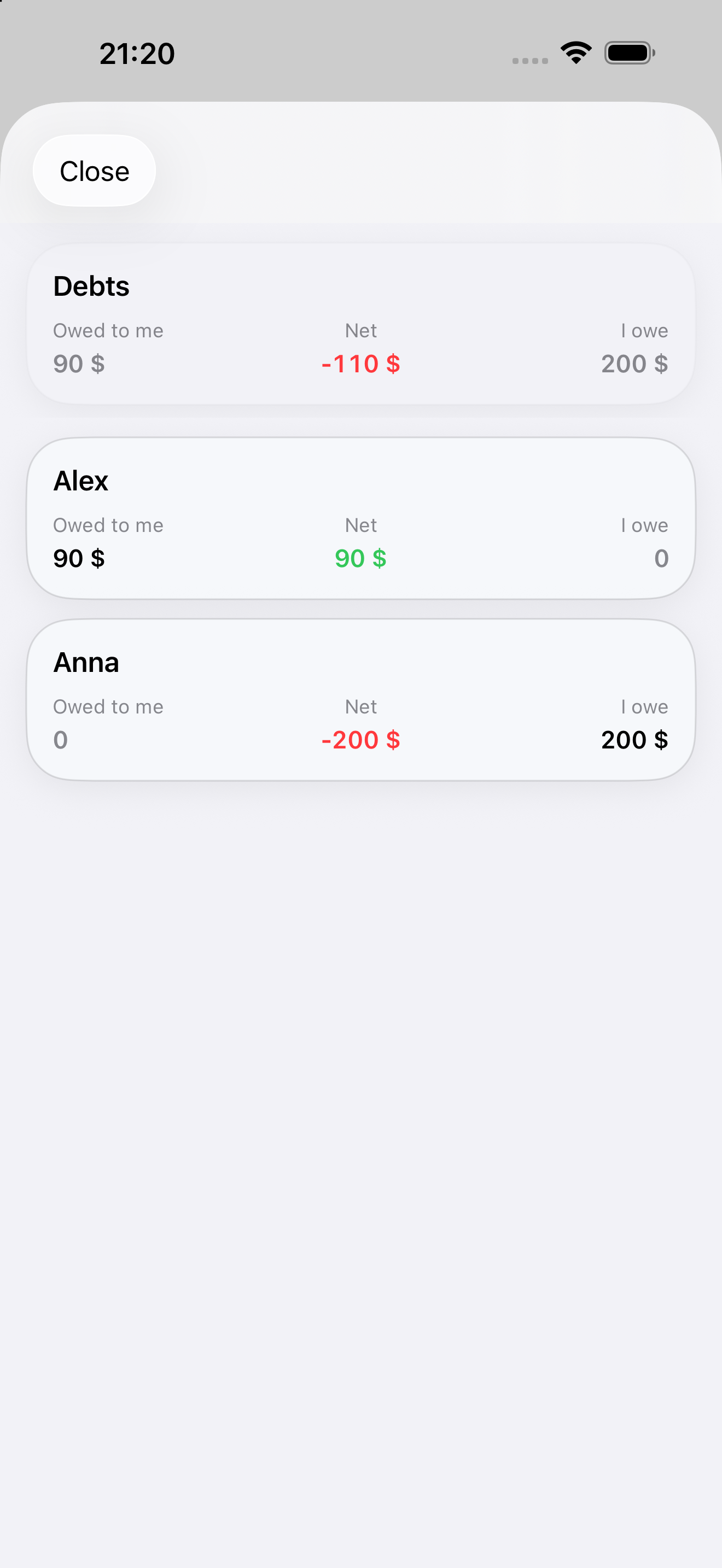
Every debt, in view.

See who owes whom, record partial repayments and keep track of what remains.

  • What you owe and are owed
  • Full and partial repayments
  • Settlement history
Debts showing amounts owed and amounts to repay
Debts screen · Enlarge

From a single transaction to your income overview, everything connects.

Less routine. More clarity.

The tools you need for everyday money management, close at hand.

Find what you need

Search transactions to return to a purchase, income entry or transfer.

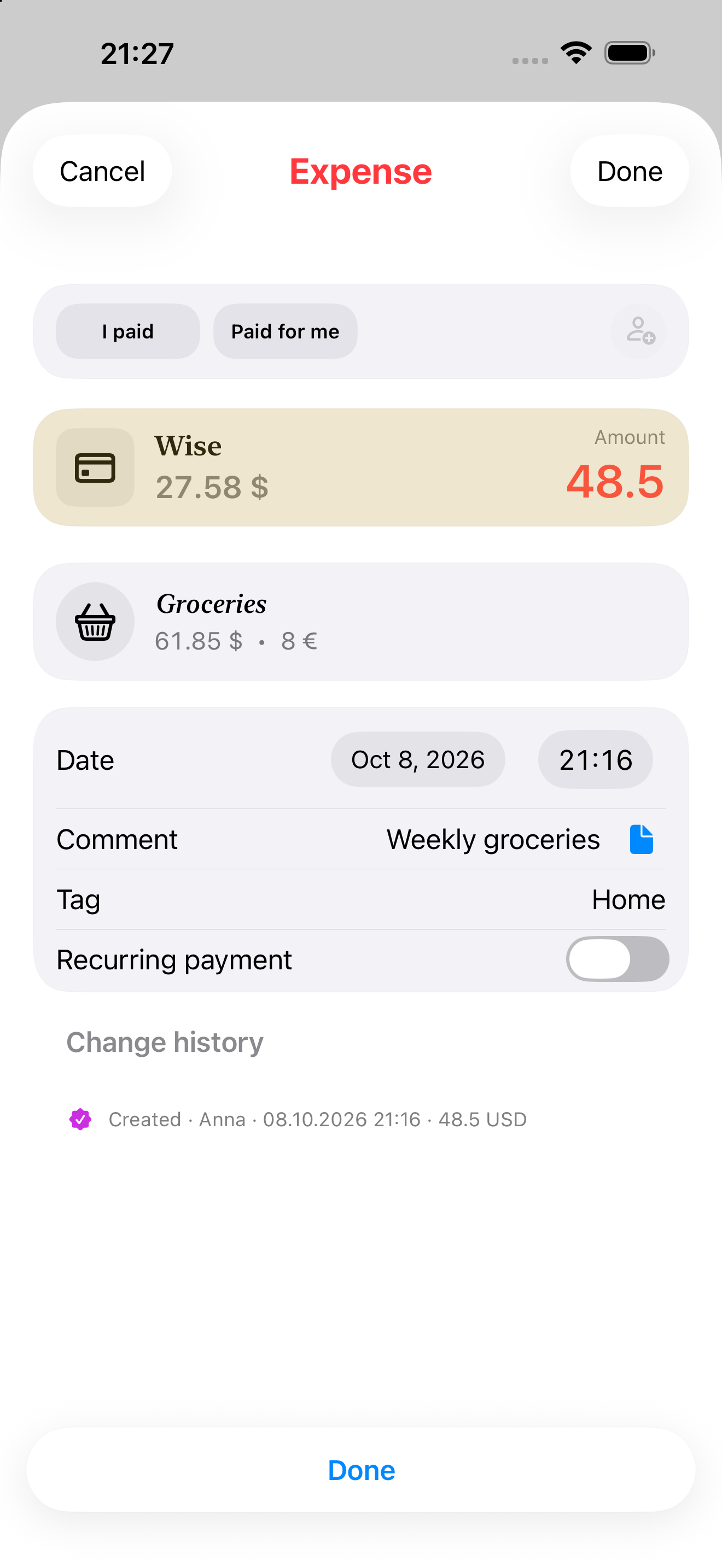
Categories, tags and notes

Organise income and expenses your way. Keep the important details with each entry.

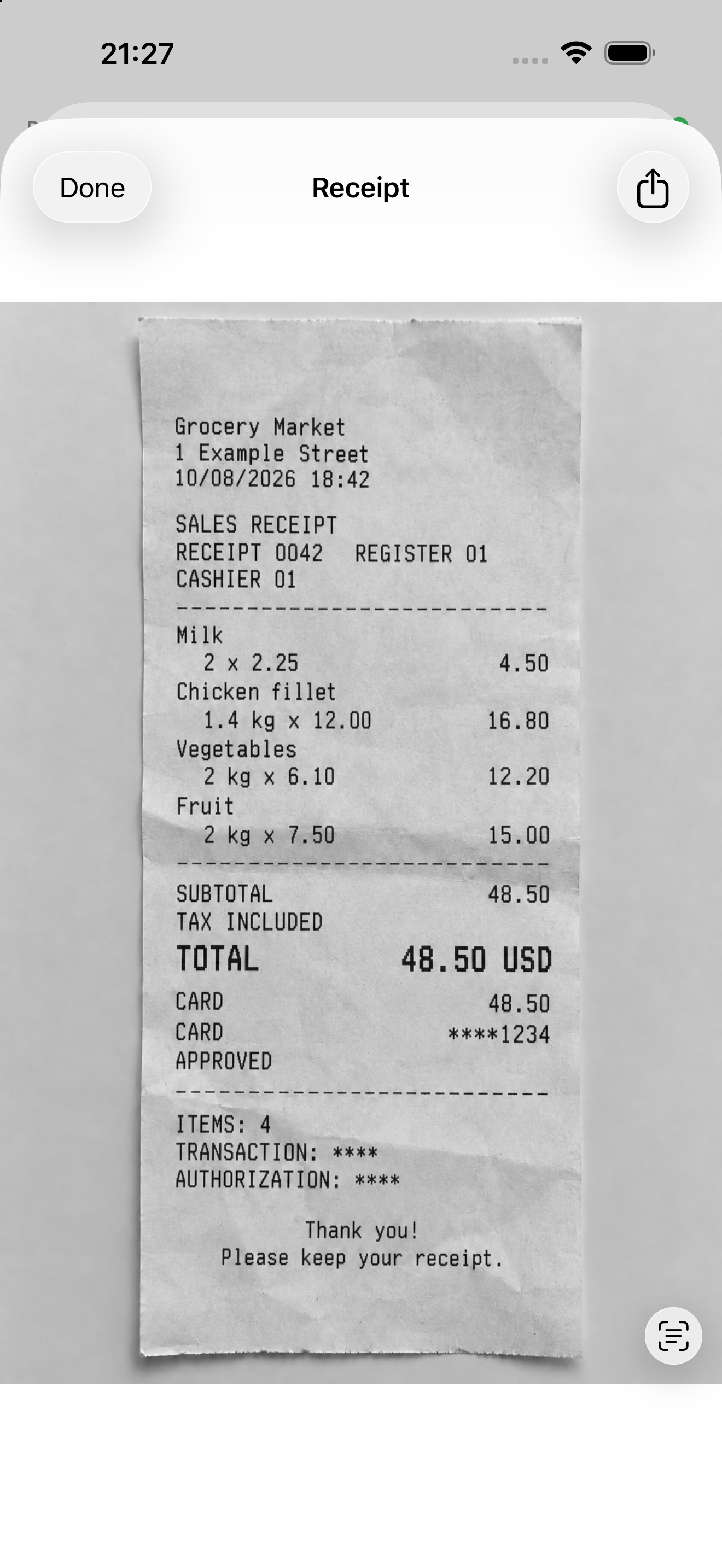
Receipts and documents

Attach scans, photos and files to transactions. Your documents stay with the entry.

Convenient widgets

Income and expenses on your Home Screen. Quick access to a new transaction.

Separate profiles

Keep accounts and history separate in each profile. Additional profiles come with extended access.

Your data in CSV

Export records for your own calculations. Import Family Money data from CSV with extended access.

Shared finances. Personal control.

Invite people by email and manage selected accounts together. Your personal finances stay personal.

You choose what to share

Share the accounts each person needs and set their permissions. A shared transaction history keeps everyone up to date.

  1. Selected accounts

    Choose which accounts to manage together.

  2. Individual permissions

    Give each person view or edit access.

  3. Shared history

    See every transaction and who added it.

Start free.
Go further.

Everyday money management is free. For more, choose a year of extended access.

Everyday essentials, free

Two personal accounts, income, expenses and transfers. Reports, currencies, categories, tags, receipts, widgets and CSV export give you everything you need to get started.

About access

Does each invited person need to pay?

No. The owner pays for extended access. Invited people use shared accounts without a separate payment.

What happens if I do not renew?

Your personal history remains available to view. Continue using two personal accounts and the free essentials. Extended features and shared access resume when you renew.

Let’s put your money in order

We’re here to help with questions about Family Money.

Contact support